Adding a new page to a menu is really easy.
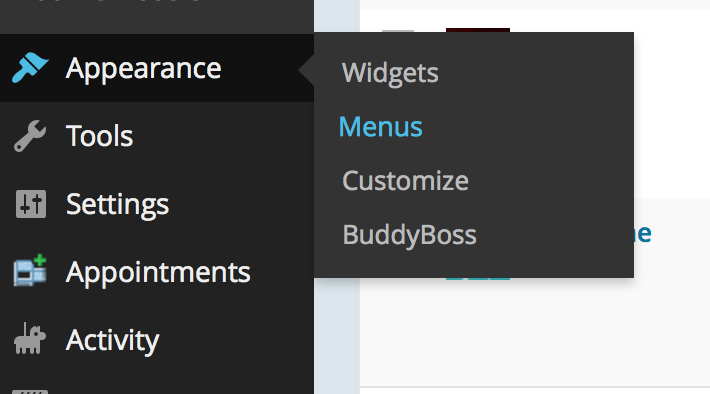
Step 1 – Getting to the menu settings.
From your Admin Dashboard hover over the ‘Appearance’ tab and click on ‘Menus’
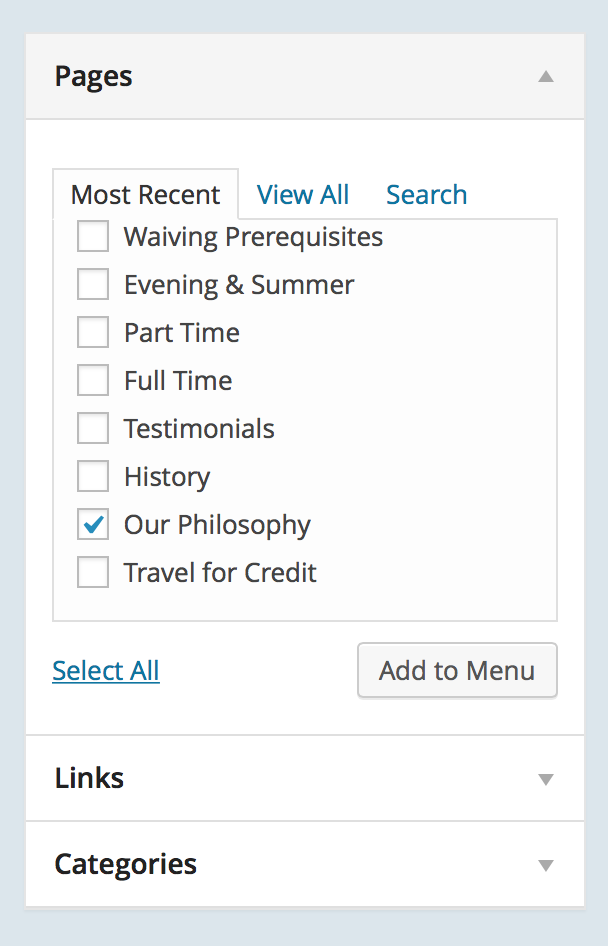
Step 2 – Adding a page.
Then you select the page you want to add to the menu and click the ‘Add to Menu’ button.
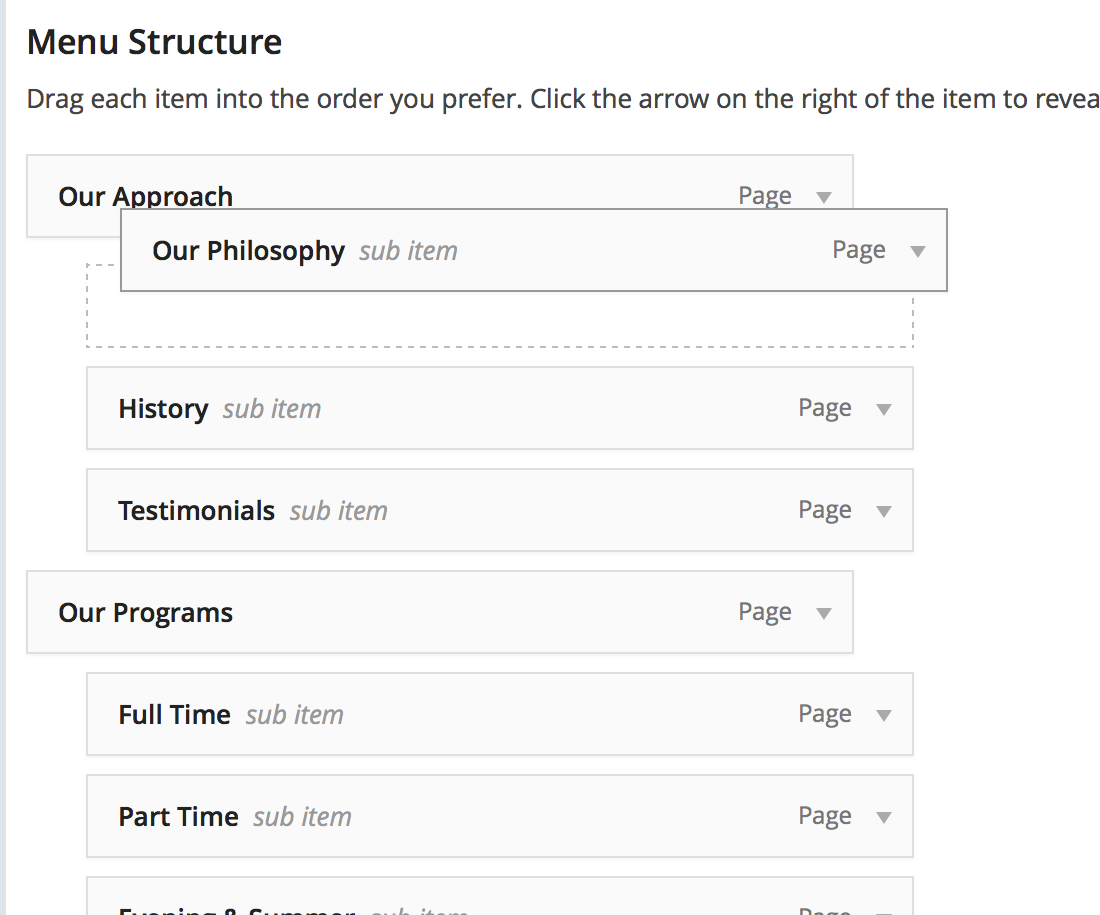
Step 3 – Organizing the menu.
If you want to reorder the menu, or make pages sub-items all you have to do is click and drag them to where you want them.