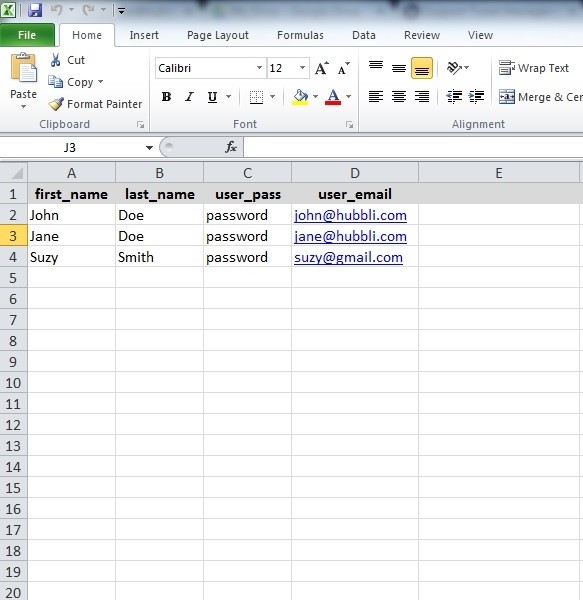
The first step is to download the user import template which you will then send to us so we can import it for you. Click the link to download the template: User Import Template
These four fields (first_name, last_name, user_pass and user_email) are the minimum requirements to create a member.
Any additional information can be created using Custom Fields and added on the right of those first four fields (the columns with the red background). For example, if you want to include cell phone numbers, create a column to the right of user_email labeled Mobile Phone.
In order for an account to be created, each user must have their own unique username and email. If two parents have the same email, only the first account will be created.